Prompt Library
Store, organize, and instantly access
your AI prompt library — right in your browser
No account needed • 100% local storage • Works offline
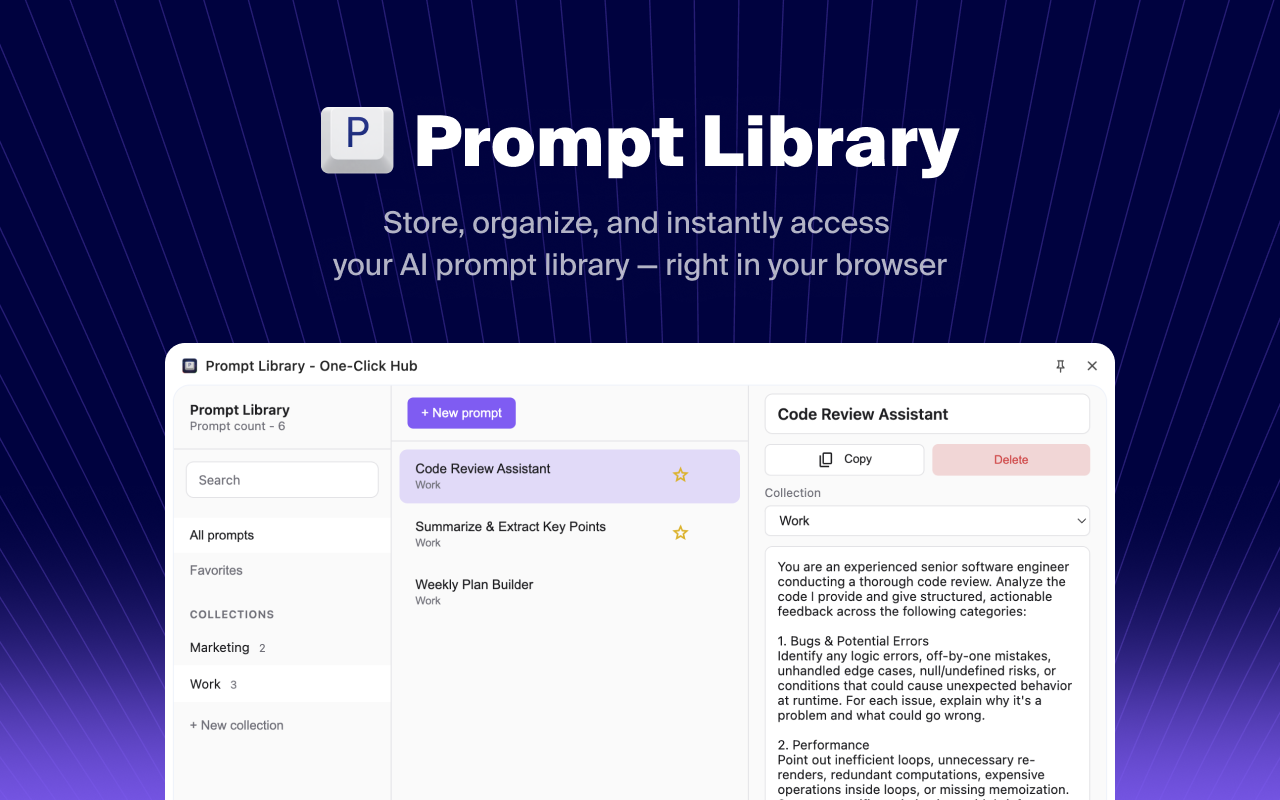
Everything you need to manage AI prompts
A complete toolkit for storing, organizing, and reusing your best prompts.
Collections
Organize prompts into custom collections for work, personal projects, or any category you need.
Favorites
Mark your most-used prompts as favorites for instant access when you need them.
One-Click Copy
Copy any prompt to your clipboard with a single click. Paste directly into ChatGPT, Claude, or any AI.
Instant Search
Find the exact prompt you need in seconds with powerful full-text search across all your prompts.
Export to JSON
Back up your entire prompt library to a JSON file. Your data, your control.
Import from JSON
Restore your prompts or import collections shared by others with one click.
Get started in seconds
No account, no cloud sync, no complexity. Just install and start saving prompts.
Install the Extension
Add Prompt Library to Chrome with one click. No sign-up required.
Save Your Prompts
Create prompts and organize them into collections that make sense for you.
Copy & Use Anywhere
One click to copy. Paste into ChatGPT, Claude, Gemini, or any AI tool.
Your prompts stay on your device
We built Prompt Library with privacy as the foundation. No servers, no accounts, no tracking.
100% Local Storage
All your prompts are stored on your device using Chrome's local storage. Nothing leaves your computer.
Works Offline
No internet connection needed. Access and manage your prompts anytime, anywhere.
No Tracking
Zero analytics, zero telemetry, zero data collection. We don't even know you exist.
No Account Required
Install and start using immediately. No email, no password, no personal information.
Ready to organize your AI prompts?
Join thousands of AI power users who save hours every week with Prompt Library. Install now and take control of your prompt workflow.
Works with Chrome, Edge, Brave, and other Chromium browsers